How technology is changing the employee survey (and why it matters)

All of a sudden, technology at Teamgage has pushed ahead the capabilities of employee surveys.
So here's a quick look at 5 features you may not have seen before.
1. Nudge for better survey feedback
Anyone who has spent time around surveys knows the mix of reponses you get.
Some thoughtful, some well-articulated…and some that’s a bit vague. We've also heard some new customers say their past experience of more traditional employee surveys has been a bit of a "whinge-fest". Not great.
So how can that moment at the point of submission be handled differently?
Our Teamgage user experience team has put a lot of effort into shaping that interaction so it helps people know exactly what's required in a way that seems helpful and encouraging.
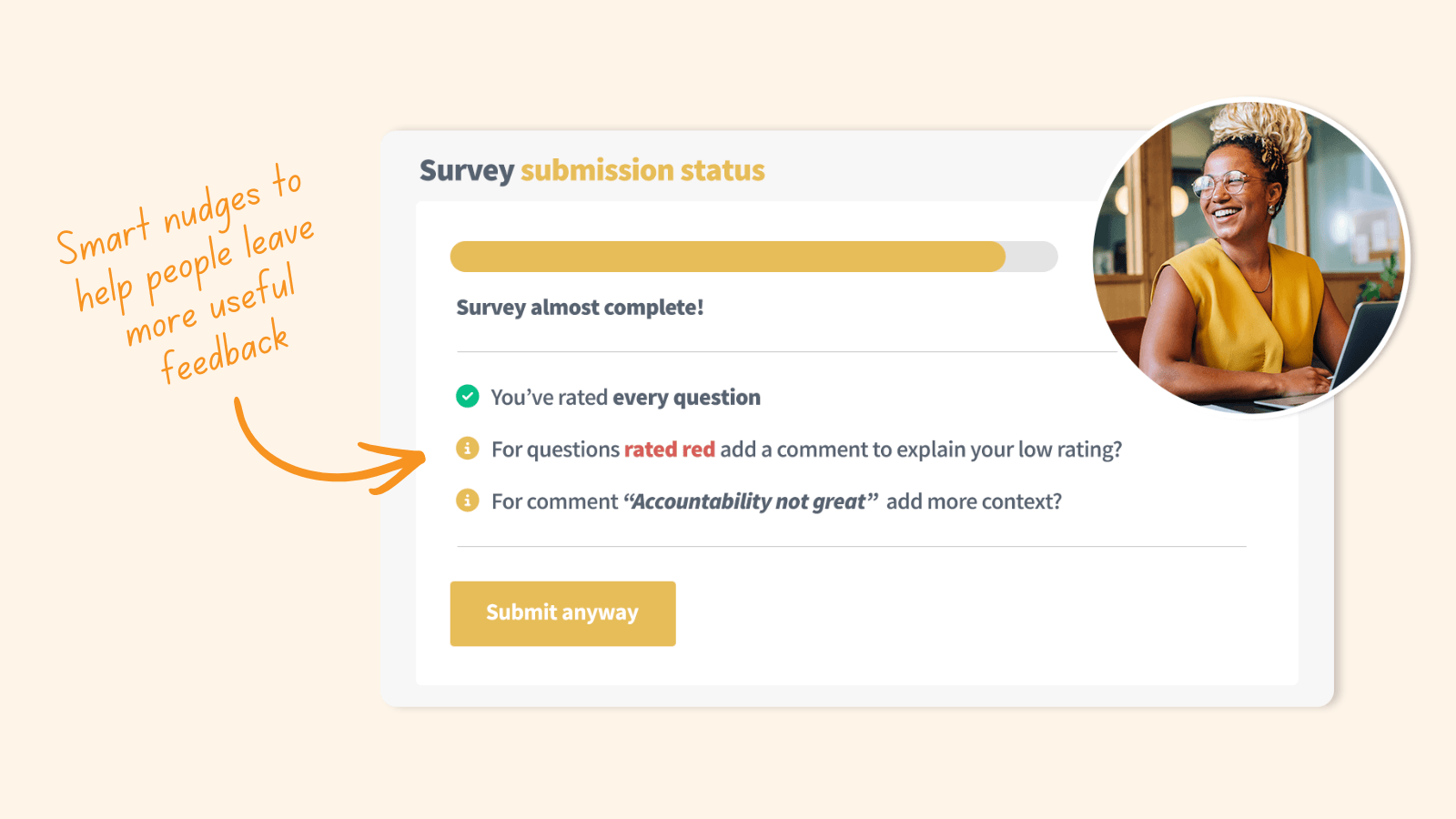
For example, actively prompting people to leave a comment whenever they give a survey question a low rating. That subtle nudge helps them shift from flagging a problem, to suggesting the background behind it.
It won’t stop there.
Soon, Teamgage will analyse survey comments and ideas as they’re added, offering real-time guidance (if needed) so that employees know how to make their input clearer and more useful.
This can all happen quickly, almost invisibly for those completing the survey. But from a leader’s perspective, their survey feedback becomes that much more useful and action-orientated.
2. Reply to anonymous survey responses
But what about when survey feedback could still benefit from a quick follow up?
It seems unfair that for so long, HR and People and Culture leaders have had to manage these anonymous insights, with no method of communicating back with the people that have left specific ideas, risks and concerns.
That ends today!
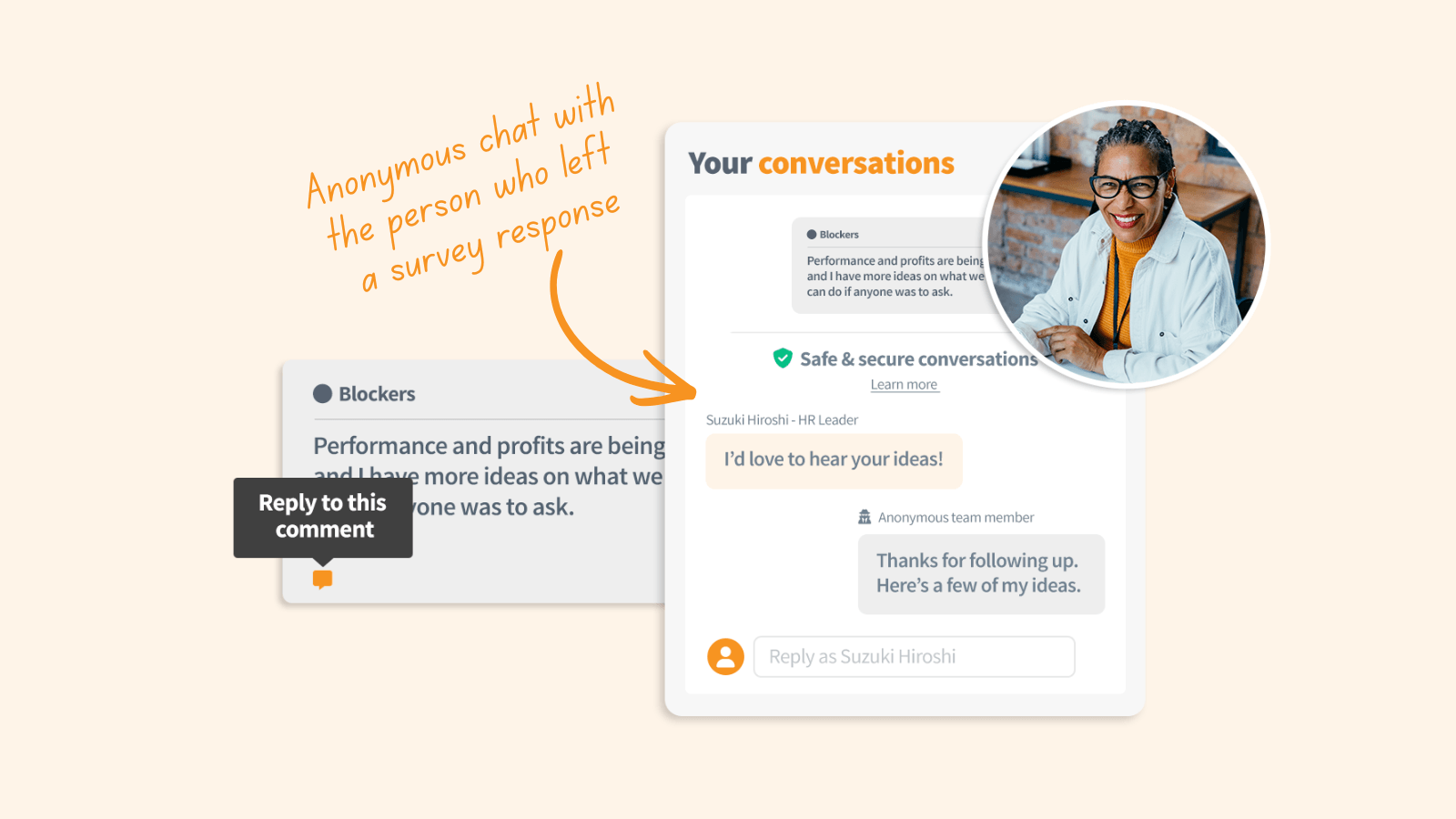
That's right, you can now reply directly to any anonymous survey response within Teamgage, while still protecting the identity of the employee!
This has led to a tangible change in the feedback process as you’re no longer left trying to interpret these insights all on your own, but actually have the option to engage with the person behind it.
That opens up a secure, online conversation where you can ask a follow-up question, check your understanding, offer support, explain what’s being done or simply say thanks.
And from the conversations I've had with leaders that have experienced this additional line of communication, traditional one-way surveys now feel so old-fashioned.
3. Save time with AI analysis
Now let's move from individual responses, to interpreting survey results at scale.
It's actually been one of the hardest parts of the survey process for leaders to be able to make sense of all the data in a way that works for them. Reading through comments, spotting patterns, working out what matters and what doesn’t…it takes time. More time than most leaders we talk to really have.
This is where Teamgage Sidekick AI has really helped.
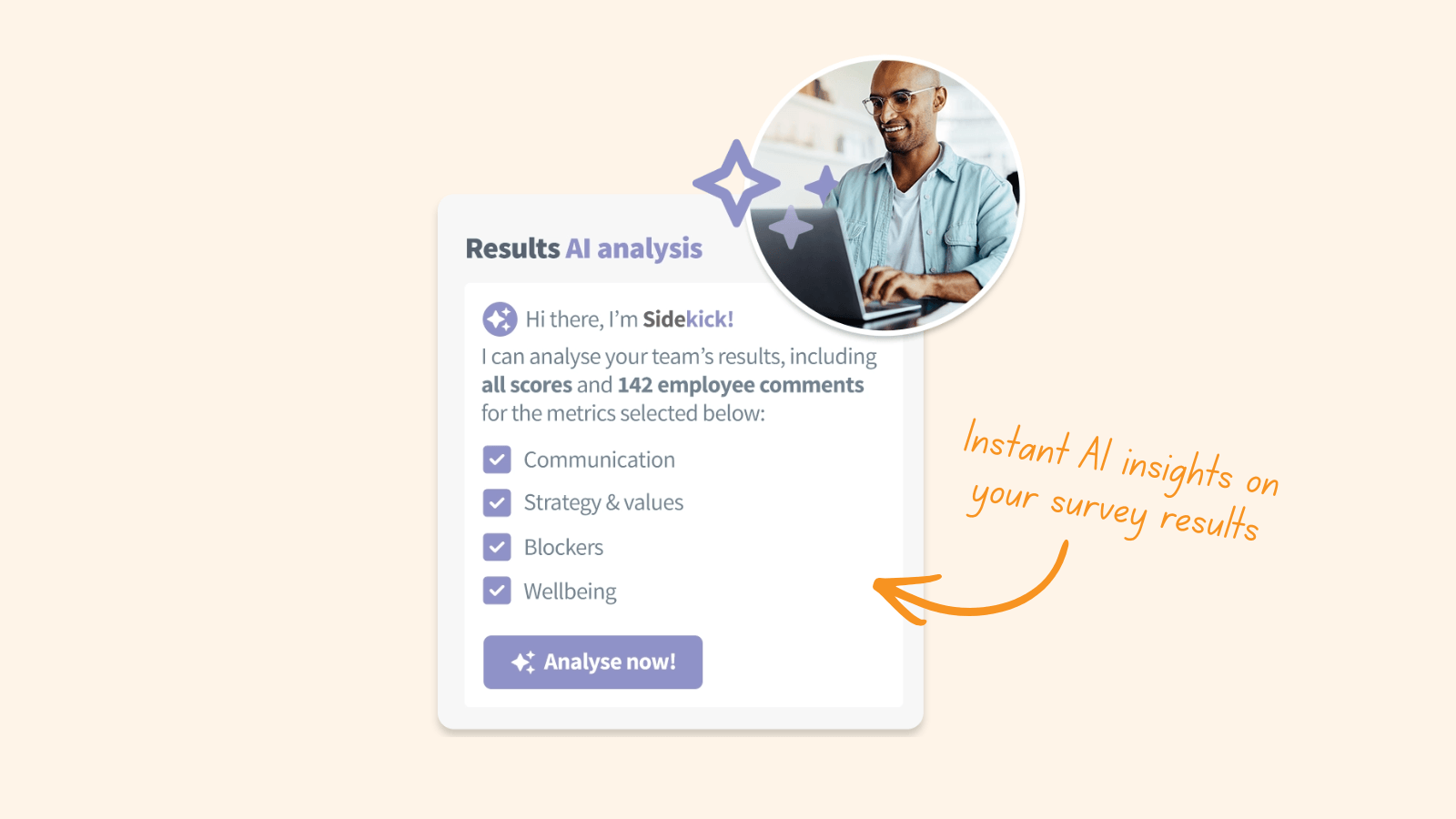
Leaders can choose what parts of the survey results they want to analyse, before being presented with the key themes, the emerging risks and some very practical suggestions on where to focus next. It’s instant and it moves you forward.
Importantly, it’s not a bolt-on, or a gimmick, or a "chuck all our sensitive feedback into Chat GPT". It sits within the Teamgage platform, uses your data in a safe and secure way and is shaped around what actually works in practice.
It also helps leaders share the load with their team leaders, with the option to give them access to Sidekick AI too. With best practice guidance on what to do next with their own team’s survey results, they can start to take real ownership of improvement at their level.
4. See your org chart with survey results
So an instant text-based AI summary of your results may be impressive, but what if you're a really visual person?
Well the good news is that our user experience team were up for the challenge as they asked the question "how can we make viewing survey results even more innovative and engaging...and fun too!?"
We're talking about technology within our platform that lets you visualise and pan through your organisation like never before.
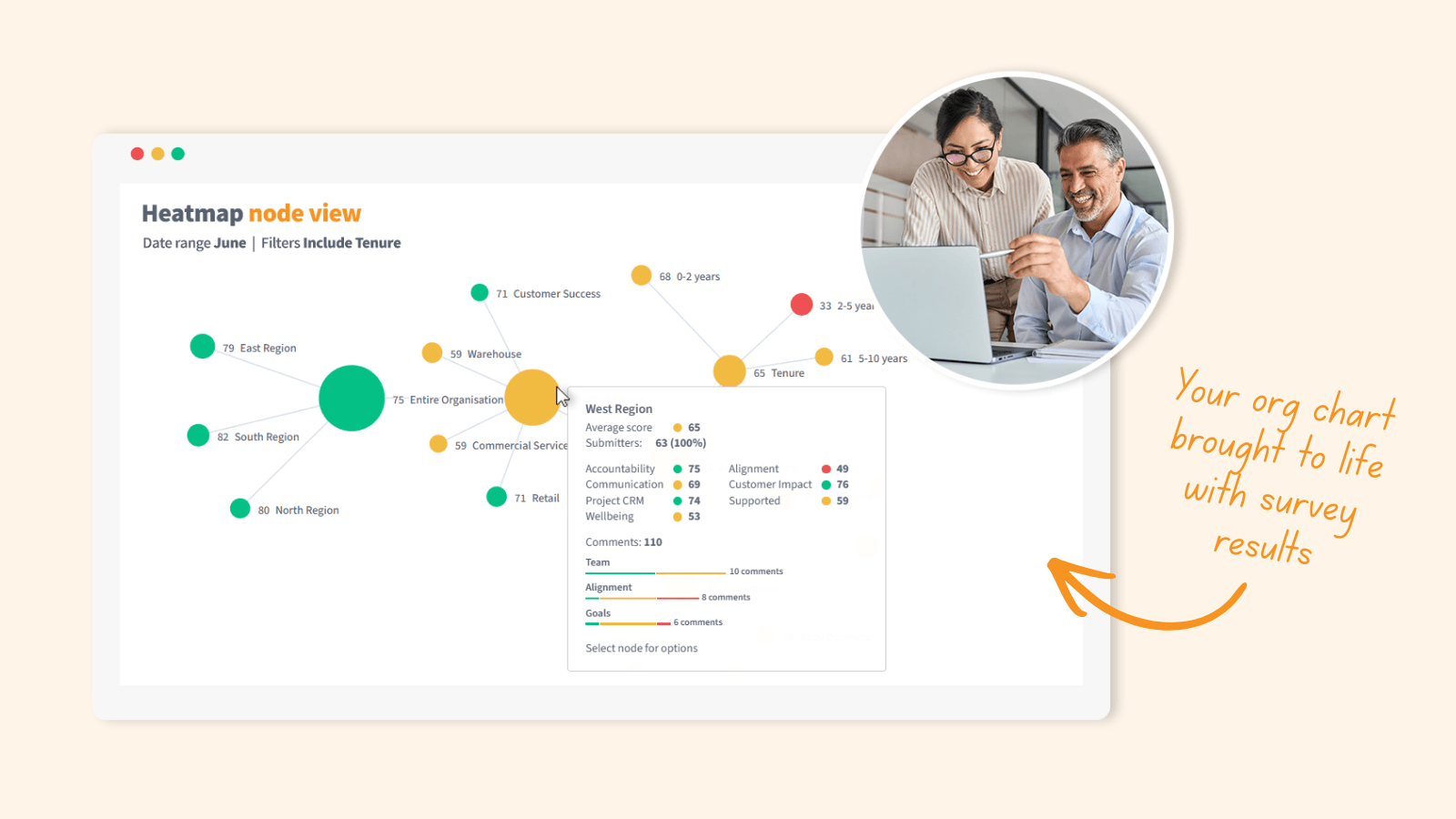
So our Heatmap node view brings your hierarchical org chart to life; teams, reporting lines, the way things actually connect all automatically there and prepopulated. Then it layers your survey results across that whole structure so you can explore it in a way that feels natural.
Why is that department's survey results struggling and in the red? Why is this survey question suddenly doing so well across the entire organisation? What are the main themes in that team's survey responses?
The answers are all there in the most visually engaging way yet.
5. Close the loop on survey feedback
Okay, enough with the results analysis, it's time to close the loop and share what we know with our people.
This sounds like a painful process of town halls and emails and it's possibly why one of the most common failure points in surveys, has been communicating after the results have landed.
To make this easier on everyone, Teamgage builds this into the flow, with the option for team leaders to see their own team's latest results automatically. They can even click to share a summary of those results back with their own team members, along with all the context and prepopulated actions they’re taking.
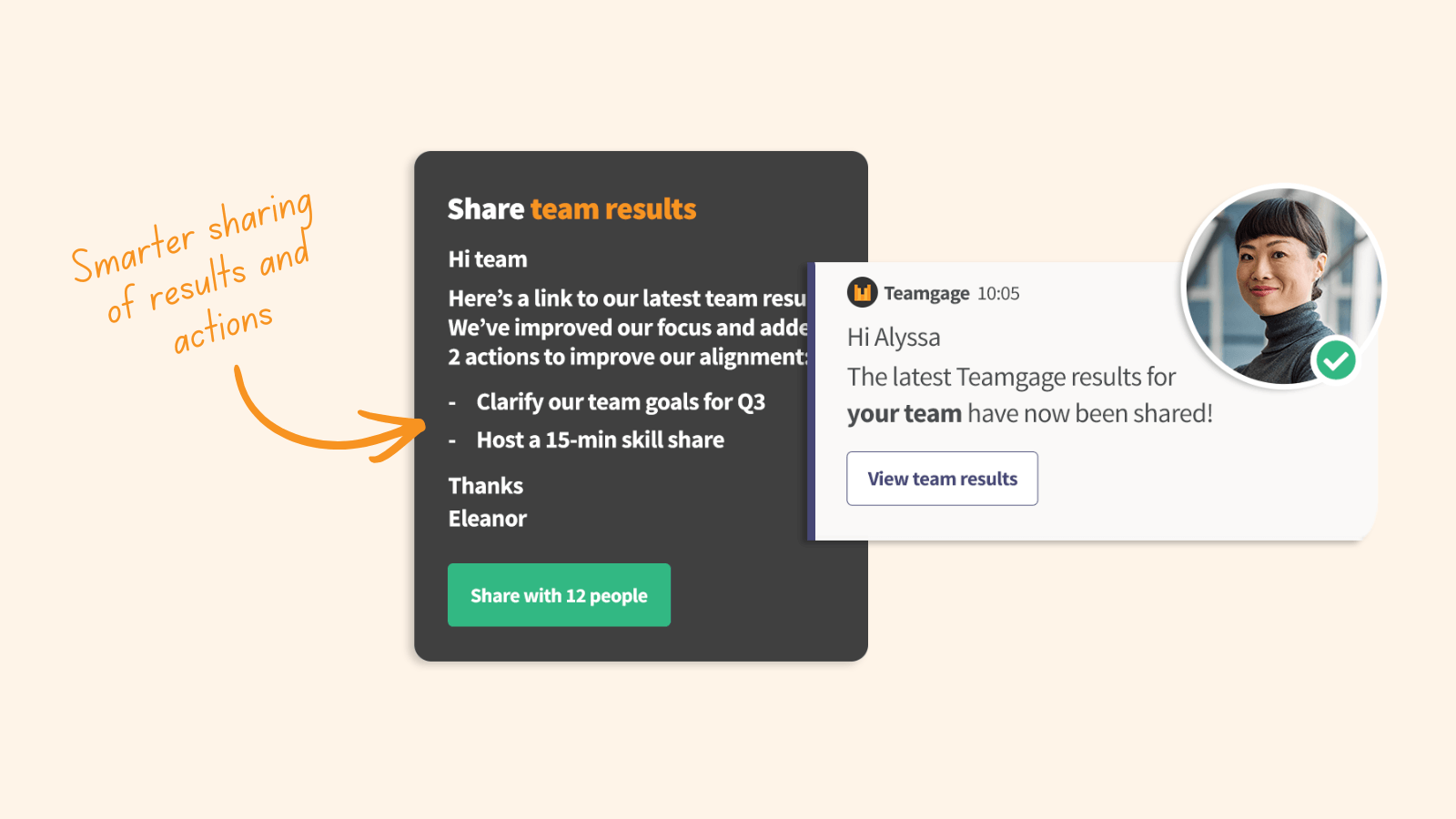
They can shape the message, make it their own, and send it when it’s ready, with the platform knowing exactly who it should go to and what to share.
It sounds straightforward… because it is. But it makes a real difference as people can see that their input has landed and they have a degree of visibility.
Trust builds from there.
So where is this heading?
Employee surveys are evolving.
They’re becoming a more visually interesting, engaging, action-orientated part of the natural rhythm of work, rather than a clunky "stop and get through this" once-a-year event.
So if you’re curious about what that looks like in practice, let me know.